
Every MELT hour logged. Every driver file audit-ready.
Join the Ontario pilot.
We're opening PowerSuite to a small group of Ontario career colleges and DCP fleets. Pilot partners get a 90 day subscription for free, hands-on setup of their MELT program or DCP master file, and a direct line to the team building the Ontario features.

The Differentiator
Two ways to deliver MELT.
One platform for both.
CAREER COLLEGES
For MELT schools. Run the Class A program MTO approved: 36.5 in-class, 17 in-yard and 50 in-cab hours, tracked per student. Every session is signed by the instructor and the student, and every assessment attempt is kept, including failed ones.
Student & Driver Intake
Collect the G licence, Class A medical report and signed enrolment contract before training starts.
Driver Files & More
Upload the driver qualification files, HR documents, and training materials you already have.
MELT & DCP Training
Instructors and Signing Authorities log and score real-world skills in a digital portal.
Ongoing Training
After licensing, keep proof each driver was trained, evaluated and told what your company expects.
103.5 hours.
Logged the way MTO counts them.
Ontario Class A MELT requires 36.5 hours in class, 17 in the yard and 50 in the cab. PowerSuite tracks each student's hours in all three, blocks completion until every one is met, and keeps the date, start time, duration, instructor and signatures for each session.
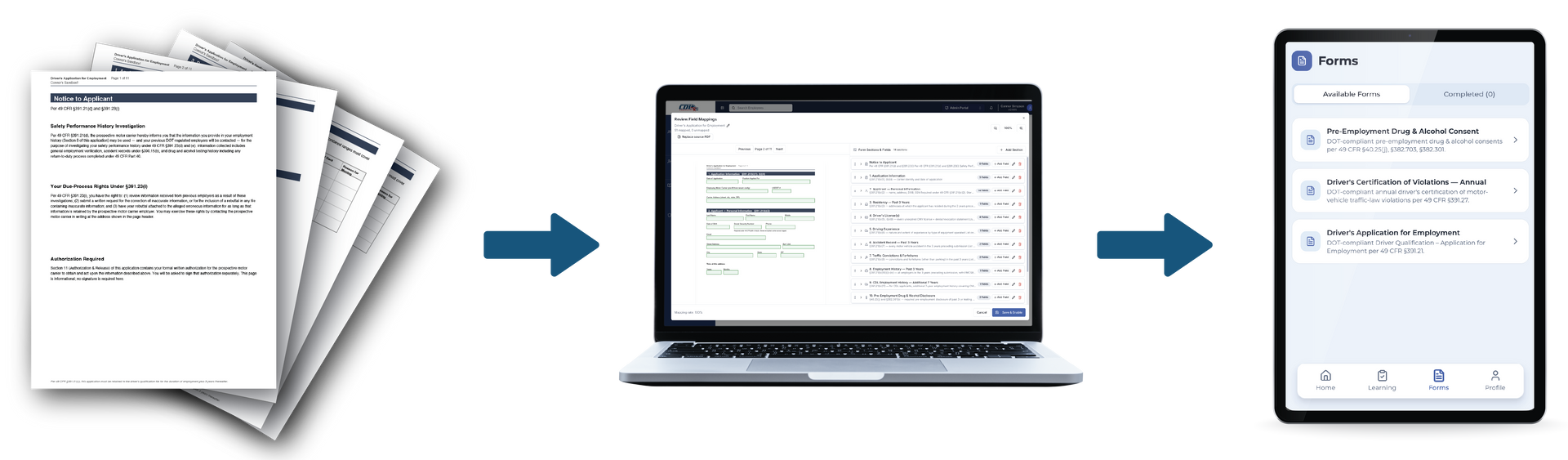
Turn paper forms into digital driver files and MELT records.
FAQs
Ontario MELT and driver file FAQ
What is MELT?
Mandatory Entry-Level Training. Since 1 July 2017, anyone getting a Class A licence in Ontario must complete 103.5 hours of training (36.5 in-class, 17 in-yard, 50 in-cab) at a registered career college or an MTO Driver Certification Program organization before the road test. From 1 January 2027, students must also have held a G licence for at least 6 months.
How does completion reach MTO?
The school or DCP organization enters completion in MTO's system, which unlocks the Class A road test. PowerSuite keeps the hour totals and signed records behind that entry.
What goes in a DCP driver file?
The driver's licence class, every test result on the DCP Activity Report, every collision in a vehicle they operated, and proof that approved training came before testing. The master file holds your approved program and each Signing Authority's approval letter.
How long do I keep records?
DCP organizations should keep driver file documents at least a year or until the next audit, whichever is longer. Career colleges keep enrolment contracts 3 years after a student leaves and transcripts for 25 years.
Can these records be kept electronically?
Yes, as long as you can produce them on inspection. PowerSuite keeps every file searchable and exportable for an MTO audit.
What's the difference between Driver Files and MELT Training?
Driver Files keeps each driver's records current and audit-ready. MELT Training adds hour tracking by environment, curriculum and documented evaluations for schools and DCP programs.
Join the Ontario pilot. 90 days free.
Get audit-ready for MTO before your next inspection.
We’re opening PowerSuite to a limited number of Ontario career colleges and DCP fleets. Pilot partners get 90 days free, hands-on setup of their MELT program or DCP driver files, and a direct line to the team building the Ontario features.